A quiet space for thoughtful design and curated digital essentials—created to inspire clarity, simplicity, and elevated visuals.
Studio Notes
For interior designers, creating an online portfolio can feel overwhelming—but it doesn’t have to be. “I’ll show you how to launch a Showit website that beautifully showcases your projects. You’ll also get tips, tools, and a template designed specifically for interior designers.”
Why Showit Works for Interior Designers
Showit gives you complete creative control. Full-width images, clean layouts, and flexible galleries make it easy to highlight room transformations, mood boards, or 3D renderings.
The Atelier Vita template template puts your best projects front and center on the homepage. It also highlights client testimonials and offers a clean portfolio layout that showcases your style effortlessly.
If you want my deeper look on Showit, check this out.

Pair Your Website with a Matching Canva Template
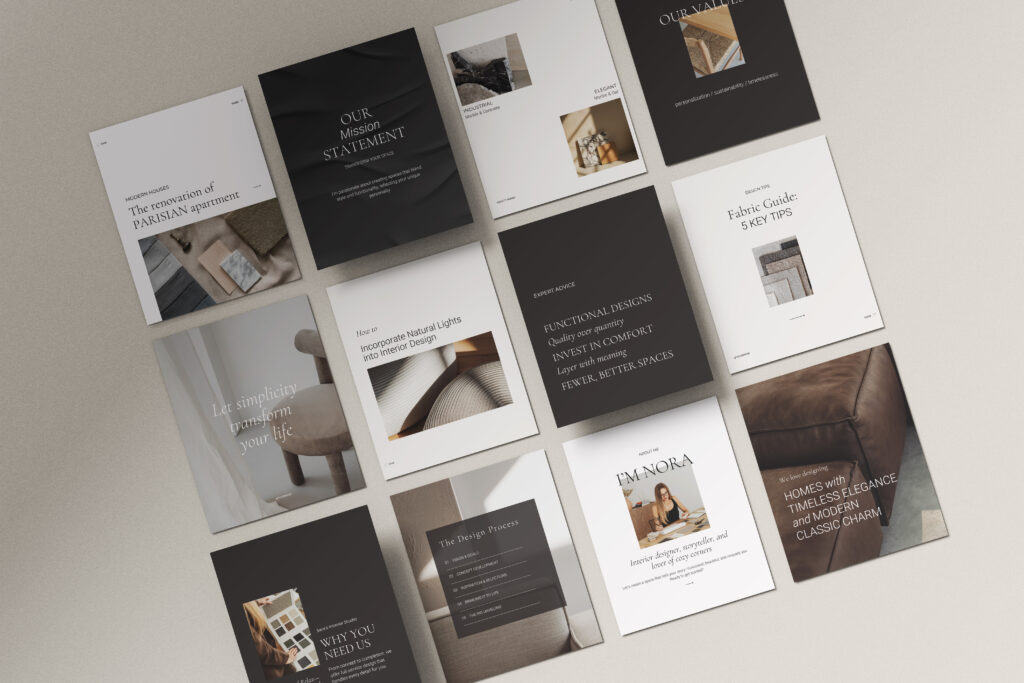
You can make your website feel even more cohesive by pairing your Showit template with a matching Canva template. It’s an easy way to create branded social posts, Pinterest graphics, and client guides that complement your site’s style.
See how this works with my Showit template for interior designers.
Making the Template Uniquely Yours
A template is just a starting point. What makes a website feel authentic is how you adapt it to your own style and portfolio. For interior designers, there are a few key areas to focus on:
- Replace images with your own projects: Swap placeholder photos with high-resolution images of your completed rooms, mood boards, or 3D renderings. This immediately makes the site reflect your work.
- Adjust colors and fonts to match your brand: Even small tweaks to typography or accent colors can give your website a cohesive and personal feel.
- Update text and messaging: Use your own voice in headings, project descriptions, and your About page. Share your design philosophy, process, and what sets you apart.
- Reorganize portfolio sections: Highlight your strongest work first, group projects by style or type, or create sections for before-and-after shots to show your impact.
- Fine-tune mobile layouts: Make sure images, galleries, and text scale well on phones and tablets so clients get a polished experience everywhere.
By focusing on these areas, you can turn a template into a website that truly represents your unique style and expertise, without starting from scratch.
Getting Started
Launching your website doesn’t have to feel overwhelming. With Showit, interior designers can showcase their portfolio in a polished, professional way. You also maintain full creative control. Pairing your site with a matching Canva template can also help maintain a consistent look across your website and social media.
To see exactly how Showit works and the steps involved in setting up your website, check out the page here.