A quiet space for thoughtful design and curated digital essentials—created to inspire clarity, simplicity, and elevated visuals.
Studio Notes
If you’ve been searching for a website platform that combines creative freedom with ease of use, you’ve probably come across Showit. After working in digital marketing for years—and testing more platforms than I can count—I can confidently say that Showit has become my go-to tool for website design. In this full Showit review, I’ll walk you through my honest experience, why I chose it over other platforms, and whether it’s the right fit for you.
What is Showit?
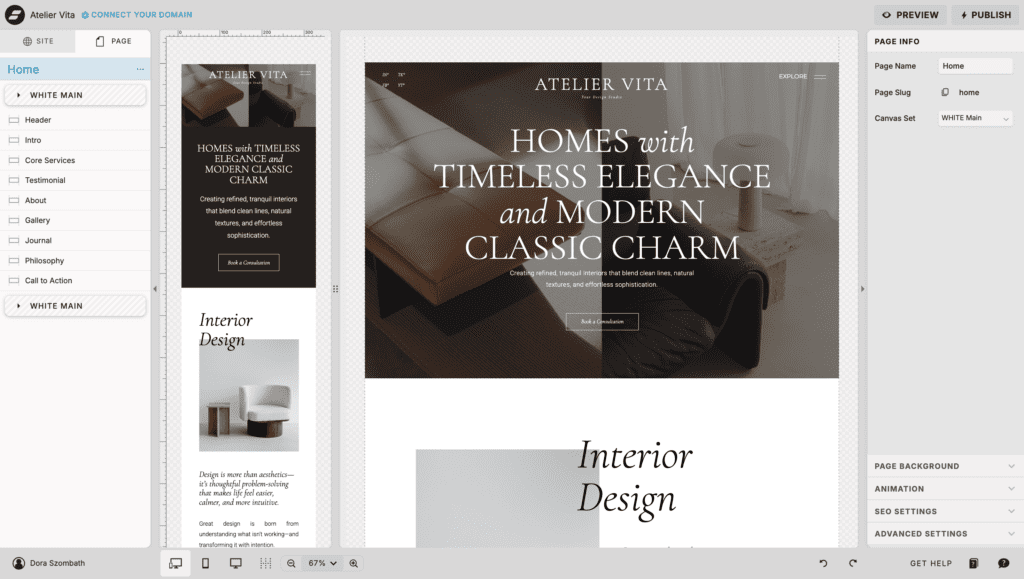
Showit is a drag-and-drop website builder designed for creatives, entrepreneurs, and small business owners who want complete design flexibility without needing to code. Unlike more rigid platforms, Showit allows you to design your site exactly how you envision it—down to every pixel.
Why I Chose Showit Over Other Website Platforms
Before committing to Showit, I knew I wanted a platform that wouldn’t limit my creativity—something that would give me complete freedom when it comes to design and layout.
Here’s why Showit stood out:
1. True Design Freedom
The biggest reason I chose Showit is simple: there are no design limits. You’re not locked into grids or restrictive templates. You can place text, images, and elements anywhere on the canvas, which makes it perfect for creating unique, high-end website designs.
As someone who values aesthetics and branding, this was a game changer.
2. No Coding Required
Even though I have a marketing and analytics background, I didn’t want to spend hours dealing with code. Showit makes it easy to create professional websites visually, which means you can focus on design instead of technical issues.
3. Mobile Optimization Made Easy
One of Showit’s standout features is its separate mobile design editor. You can fully customize how your website looks on mobile—rather than relying on automatic responsiveness. This ensures your site looks polished on every device.
My Experience Designing on Showit
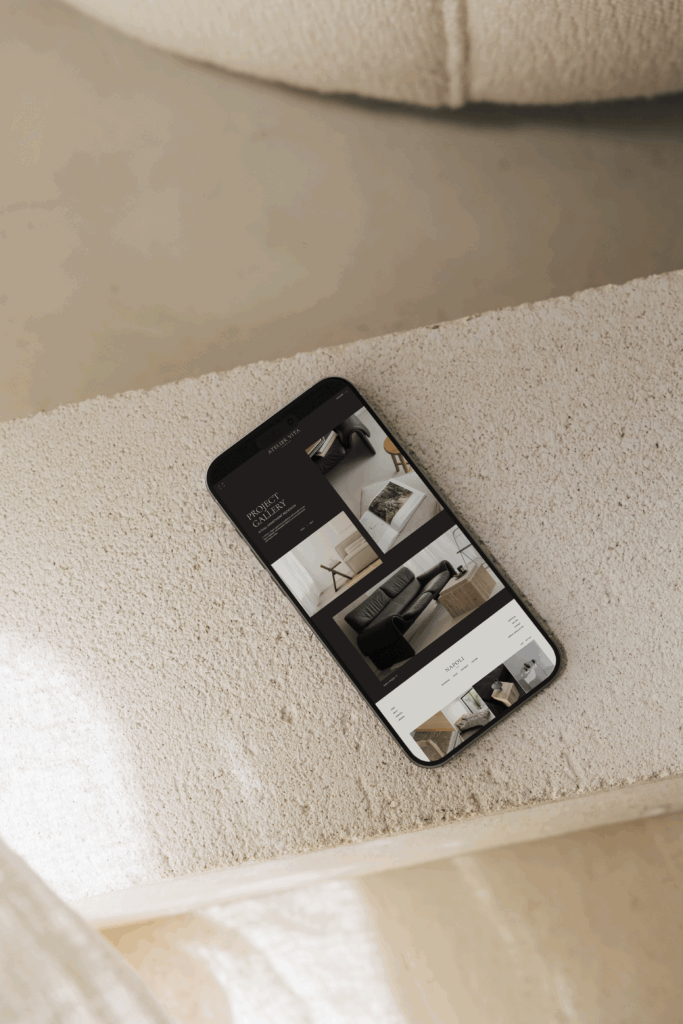
As I started designing more websites, I realized how easy it was to turn my ideas into fully polished layouts. This is actually what led me to start creating my own website templates. If you’re looking for done-for-you designs, you can explore my Showit templates here.
Another thing I love is how seamlessly Showit integrates with WordPress for blogging. This means you get the best of both worlds: beautiful design and powerful SEO capabilities.
Is Showit Good for SEO?
This is one of the most common questions—and the answer is yes, Showit is good for SEO.
Because Showit uses WordPress for its blog functionality, you can take advantage of powerful SEO plugins like Yoast SEO. You can easily optimize your blog posts, meta descriptions, and keywords to improve your search rankings.
Additionally, Showit allows you to customize title tags, alt text, and page descriptions, which are essential for on-page SEO.
Who Should Use Showit?
Showit is perfect for:
- Creative entrepreneurs
- Designers and photographers
- Coaches and personal brands
- Bloggers who care about aesthetics and SEO
If you want a website that feels truly custom without hiring a developer, Showit is an excellent choice.
Is Showit Worth It? My Honest Review
The reason I chose to design on Showit—and continue to build my templates on it—is simple: it allows me to create beautiful, strategic websites without limitations.
If your goal is to stand out online with a visually stunning and high-converting website, Showit is one of the best tools you can invest in.
If you’re ready to launch faster, you can also browse my collection of Showit templates designed for creatives and entrepreneurs.